A mobile platform for pet adoption & shelter support

A mobile platform for pet adoption & shelter support

Design Process

Design Process

UI/UX Design

UI/UX Design

UI/UX Design

Mobile App

Mobile App

Mobile App

PawHelp is a dedicated mobile platform designed to bridge the gap between compassionate people and animals in need. The primary objective was to create a seamless, trustworthy ecosystem that simplifies the journey from discovery to adoption.

PawHelp is a dedicated mobile platform designed to bridge the gap between compassionate people and animals in need. The primary objective was to create a seamless, trustworthy ecosystem that simplifies the journey from discovery to adoption.

Key Objectives:

Streamline Adoption: Build an intuitive interface to connect users with local shelters.

Secure Support: Implement a transparent and safe donation system for urgent cases.

Community Engagement: Centralize local volunteer efforts into a single, accessible hub.

Project Goals

Problem & solution

PawHelp provides a fast, transparent, and intuitive ecosystem for animal welfare:

Problem

Problem

Problem

Solution

Solution

Solution

Helping animals is often chaotic and fragmented. Potential supporters face significant barriers:

Information Overload: Scattered requests across chats and social media without any structure.

Information Overload: Scattered requests across chats and social media without any structure.

Information Overload: Scattered requests across chats and social media without any structure.

High Barrier to Entry: Unclear instructions on how or where to start helping.

High Barrier to Entry: Unclear instructions on how or where to start helping.

High Barrier to Entry: Unclear instructions on how or where to start helping.

Lack of Trust: Growing fear of scams or fraudulent donation requests.

Lack of Trust: Growing fear of scams or fraudulent donation requests.

Zero Feedback: Users rarely see the long-term impact of their contributions.

Zero Feedback: Users rarely see the long-term impact of their contributions.

Poor Usability: Existing tools are often outdated, complex, or unintuitive.

Poor Usability: Existing tools are often outdated, complex, or unintuitive.

Structured Feed: Requests organized by location, urgency, and category.

Guided Experience: A streamlined flow allowing users to act in just a few taps.

Verified Network: Every shelter and user is vetted to ensure maximum security.

Impact Tracking: Real-time updates and success stories from helped animals.

Impact Tracking: Real-time updates and success stories from helped animals.

Empathy-Driven UI: A warm, accessible interface designed for all generations.

User Flow

Streamlined User Experience

PawHelp To minimize cognitive load, the navigation is divided into three clear paths. I designed a straightforward journey that allows users to switch between discovering shelters, browsing pets, or taking immediate action (donating/helping) in just a few taps.

Streamlined User Experience

PawHelp To minimize cognitive load, the navigation is divided into three clear paths. I designed a straightforward journey that allows users to switch between discovering shelters, browsing pets, or taking immediate action (donating/helping) in just a few taps.

Colors & Typography

Colors

Colors

Colors

Colors

#246349

#246349

#246349

#5C927C

#BE5E54

#582501

#5C927C

#5C927C

#BE5E54

#BE5E54

#582501

#582501

#FFE5D5

#FFE5D5

#F7EDE4

#F7EDE4

#FFFAF8

#FFFAF8

#FFE5D5

#FFFAF8

#F7EDE4

Explore shelters near you.

Explore shelters near you.

Explore shelters near you.

Explore shelters near you.

Each pin shows where help is needed most.

Each pin shows where help is needed most.

Each pin shows where help is needed most.

Each pin shows where help is needed most.

Components & UI Library

To ensure a consistent user experience across the PawHelp platform, I developed a modular UI Kit. This library includes all the essential building blocks — from interactive buttons and input fields to complex data cards and custom iconography.

To ensure a consistent user experience across the PawHelp platform, I developed a modular UI Kit. This library includes all the essential building blocks — from interactive buttons and input fields to complex data cards and custom iconography.

Interactive Elements: Buttons, toggles, and navigation bars designed for clear feedback.

Interactive Elements: Buttons, toggles, and navigation bars designed for clear feedback.

Data Cards: Flexible card layouts for pet profiles and shelter information.

Data Cards: Flexible card layouts for pet profiles and shelter information.

Custom Icons: A unique icon set tailored to the pet-care theme for intuitive navigation.

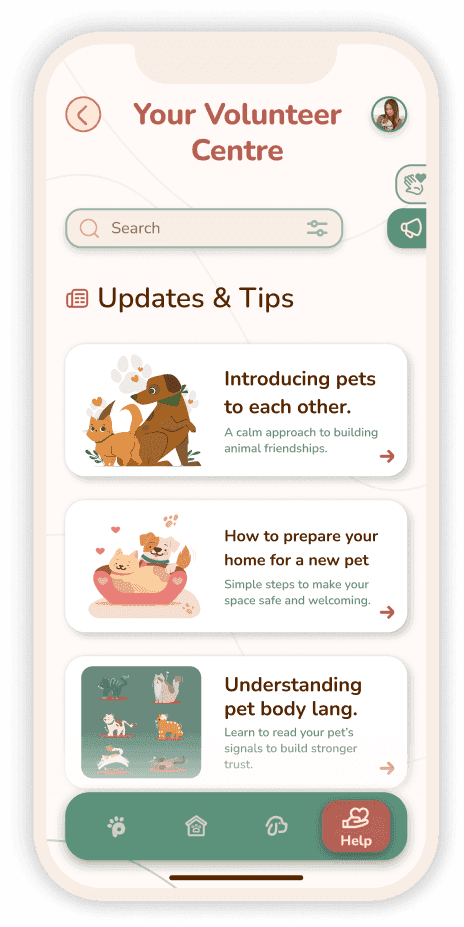
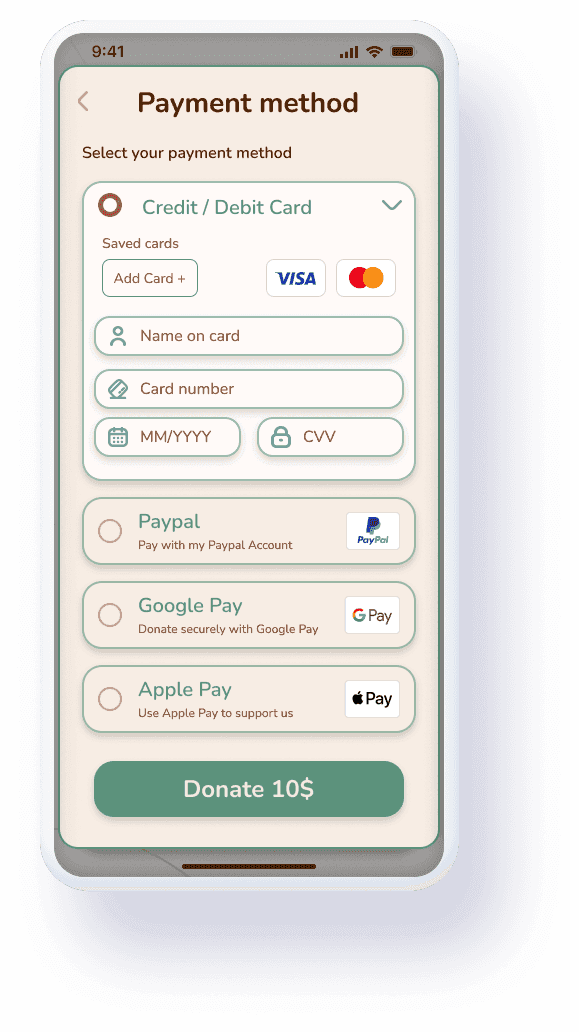
A comprehensive look at the PawHelp application. These screens represent the core user experience, balancing clean aesthetics with a focus on emotional storytelling and ease of adoption.

Final Interface Design

Final Interface Design

Live Walkthrough

From the first interaction to the final step of the journey. Watch how the interface comes to life with smooth transitions and intuitive navigation.

Create a free website with Framer, the website builder loved by startups, designers and agencies.